Dashboard
- Dashboard is a primary navigation item
- The dashboard is visible to all users
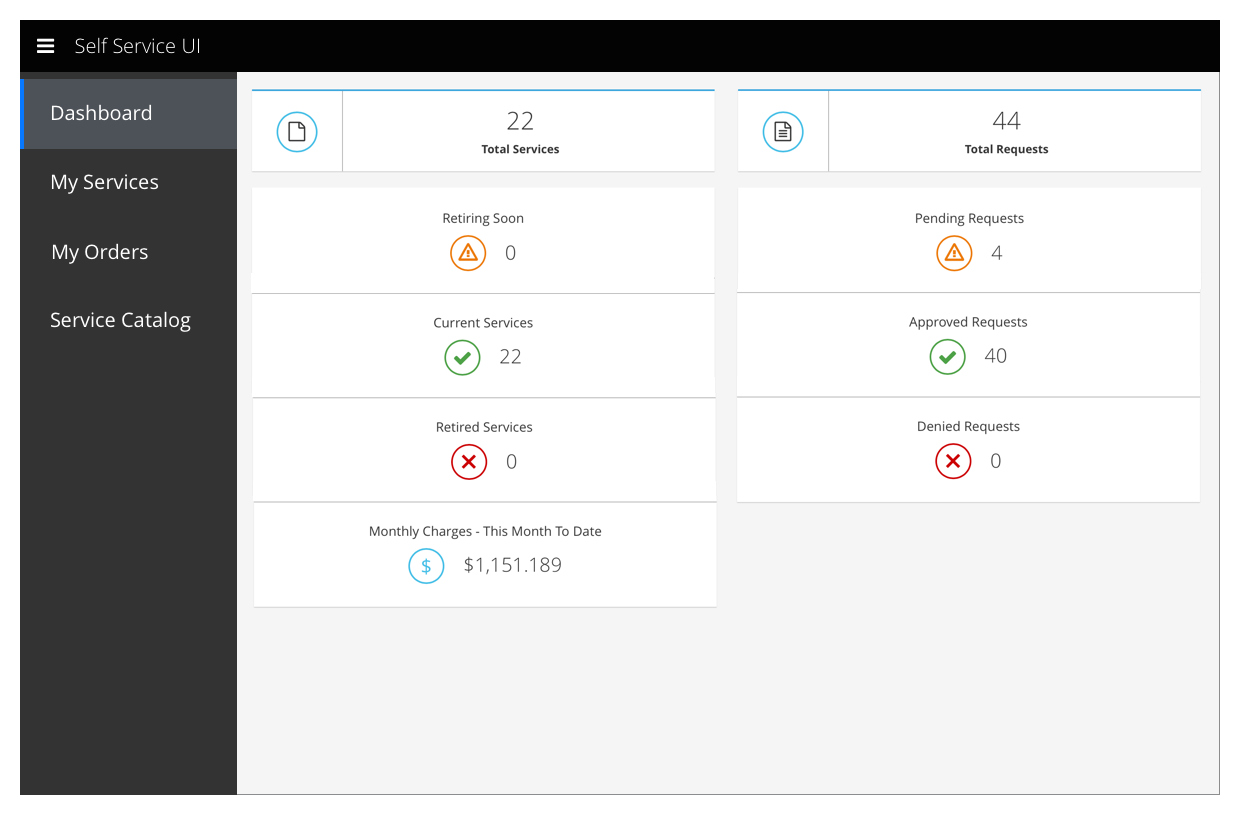
- It provides easy-to-view, high-level information about the user’s services and orders
View Dashboard
Dashboard
Implementation Details
- The yellow, green, and red rows are missing 20px of padding along the bottom.
Future Possibilities
Dashboard
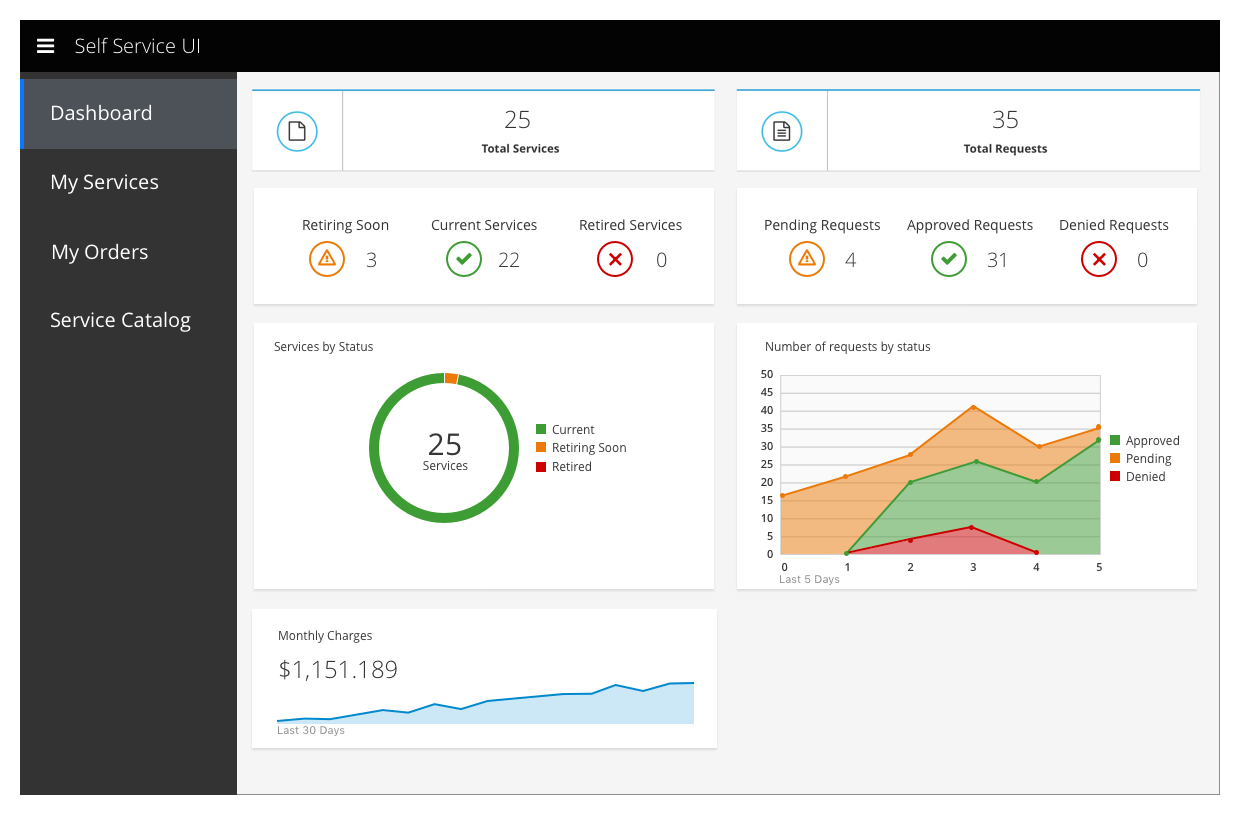
- Exact numbers of requests and services can be collapsed onto a single card
- If it is possible to store and retrieve past data, the dashboard should be updated to include trend information
Implementation Details
- Data that add up to a whole should be represented with either an area chart or a donut chart
- When the data is useful for looking at historical trends, it should be displayed in an area chart.
- When data is useful primarily because of its current state, it should be displayed in a donut chart.
Customer Feedback
Customer Feedback Received
- Overview of customer feedback received
Necessary Customer Feedback
- Questions to follow up with customers